
AI Suggestion Adoption
Build a Breakdown that shows how often agents send AI Assistant suggestions as written.
Overview
This Breakdown shows how often your human agents send AI Assistant suggestions as written, and how much they change the ones they edit. Use it to see whether suggestions are ready to send and which agents use them.
Quiq records this data starting October 31, 2026, so set the report's date range to start on or after that date.
Creating your Report
1. Build the Message Content Sources report, or open it if you saved it.
2. Add the two columns below. For how the column fields work, see Adding Columns.
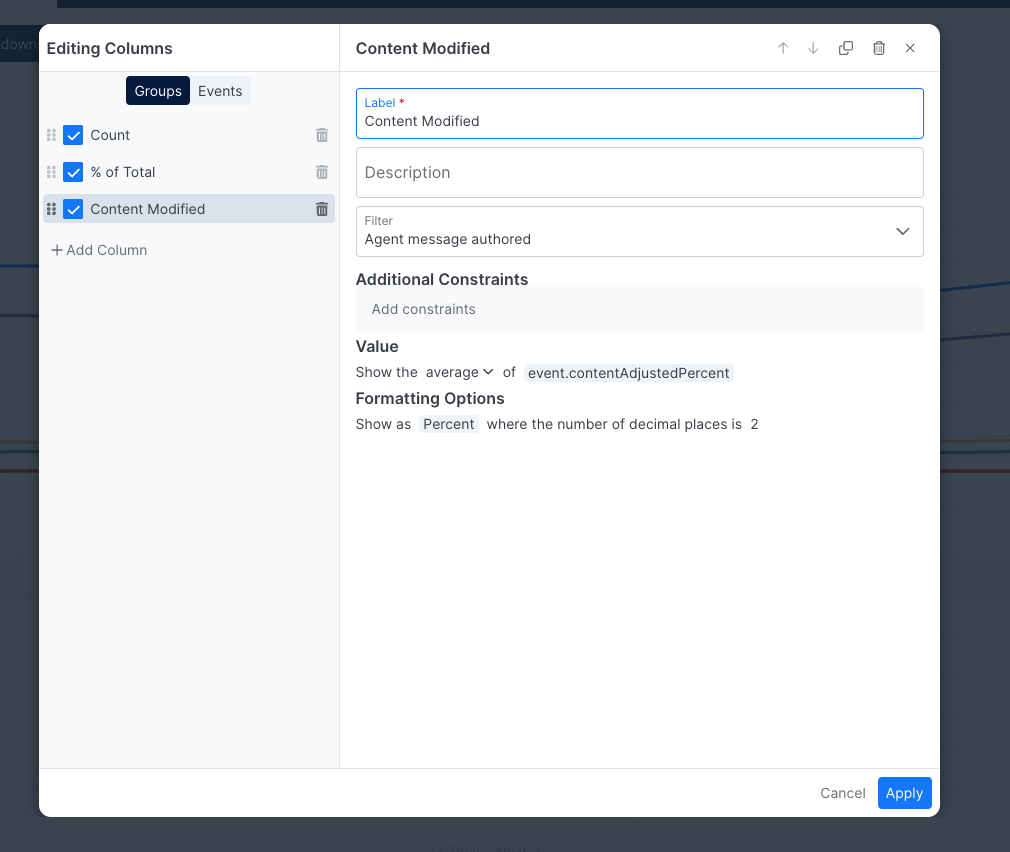
Content Modified
How much agents change the content before sending, from 0% (sent as is) to 100%.
- Label: Content Modified
- Value: Show the average of
event.contentAdjustedPercent. - Formatting Options: Show as Percent with 2 decimal places.
Sent Unchanged
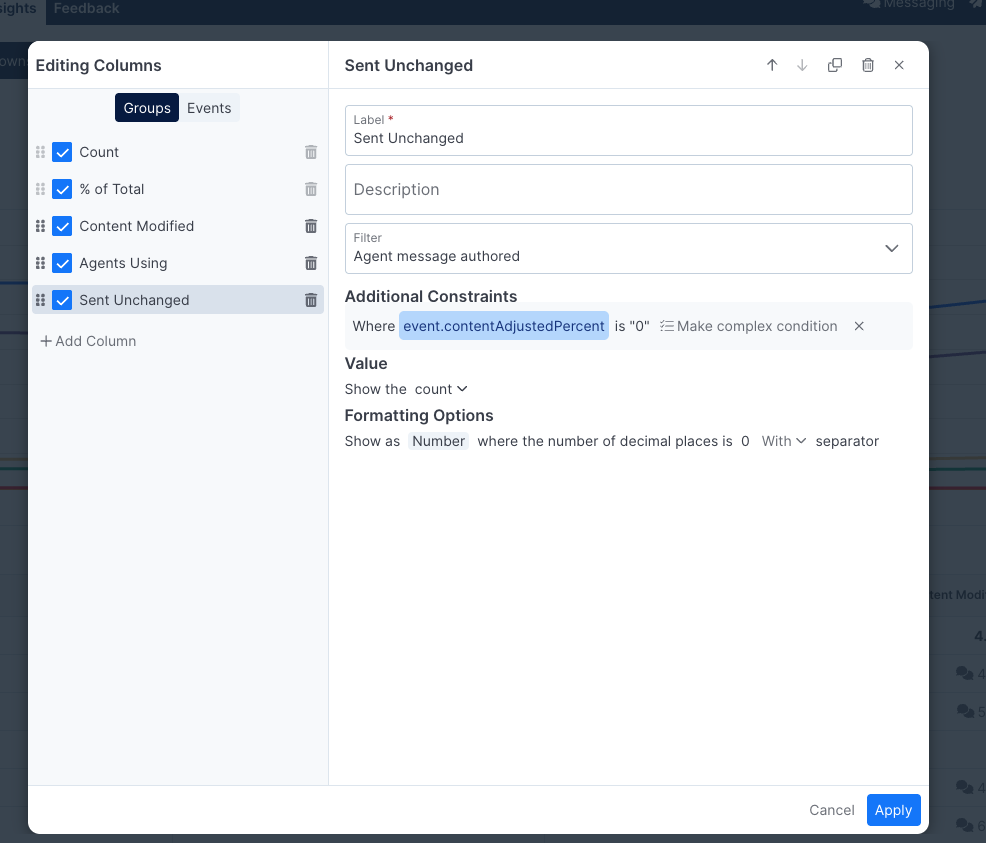
How many messages agents sent without changing the content.
- Label: Sent Unchanged
- Additional Constraints: Where
event.contentAdjustedPercentis 0. - Value: Show the count.
3. Rename the report, for example "AI Suggestion Adoption", and click Save.
Using your Report
Read the AI Suggestion row:
- Sent Unchanged compared with Count shows how many suggestions agents sent as written.
- Content Modified shows how much agents change suggestions on average.
- Agents Using shows how many agents send suggestions.
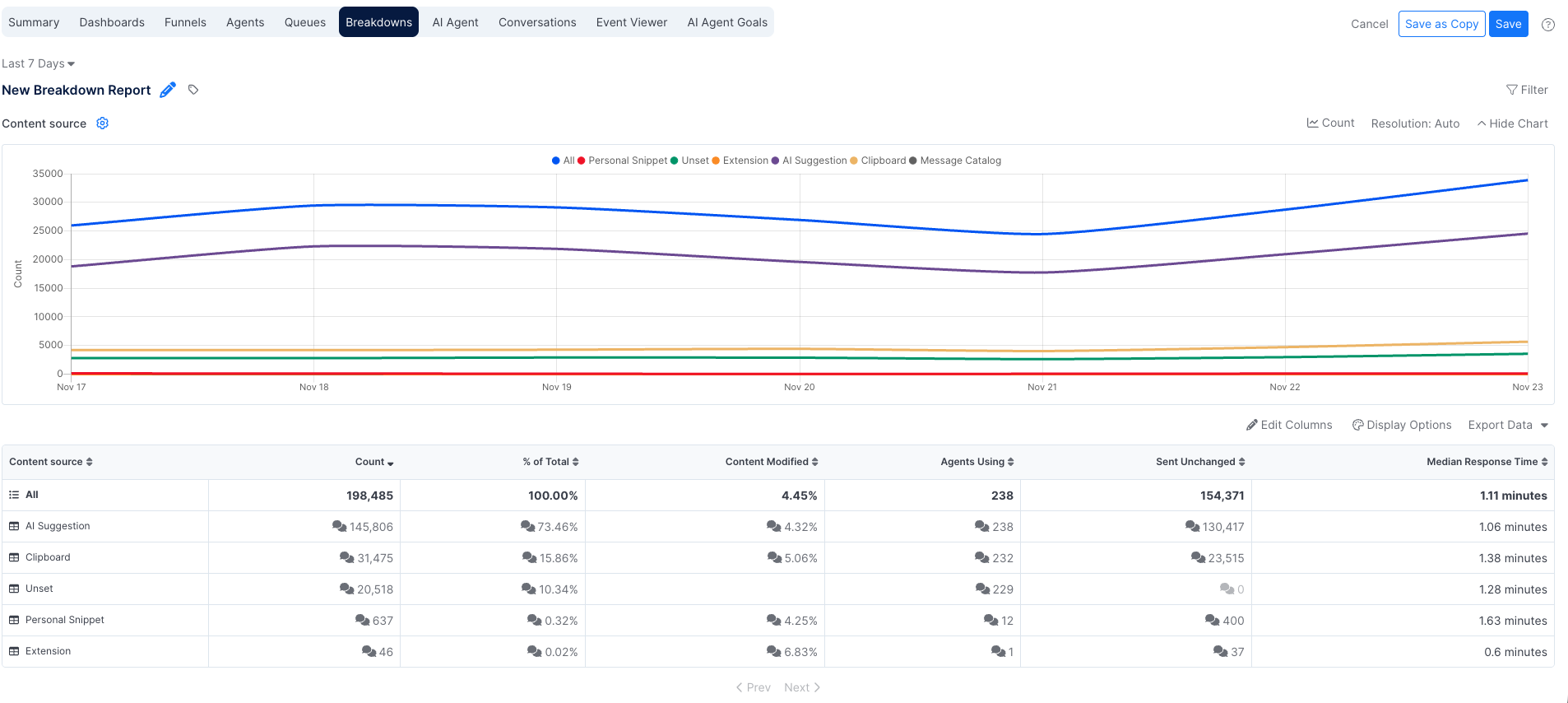
The Unset row has no Content Modified value and 0 Sent Unchanged, because typed messages start with no content to change.
Click the AI Suggestion row to see the messages behind it. The Event List shows each suggestion as it was loaded and the message as it was sent. Because this is message text, it can include customer details, so leave the Event List out of reports and screenshots you share.
If you use the AI Connector, your AI assistant can work with the same data. For example, ask it which kinds of suggestions agents rewrite most.
Updated 2 days ago