
Languages & Translation
Overview
The Languages & Translation tab allows Admins to turn on Quiq Translate, via the Enable Auto Message Translation toggle button, and define supported languages for your tenant.
By default, each tenant has English set as the preferred supported language.
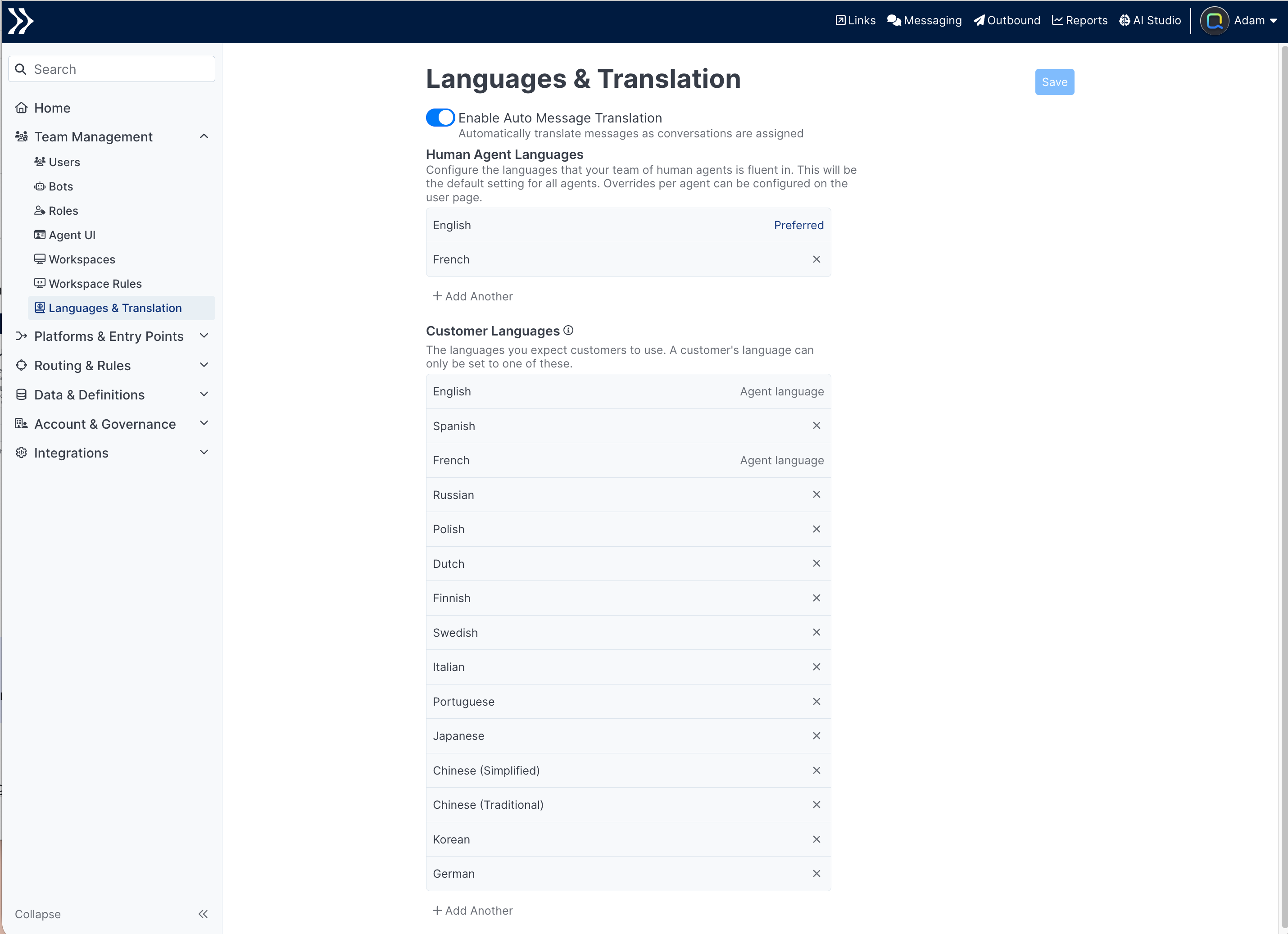
Enable Auto Message Translation
The Enable Auto Message Translation toggle turns Quiq Translate on or off for the tenant.
Enabling Message Translation will incur additional billing costs when conversation messages are translated.
Human Agent Languages
Human Agent Languages define the list of languages that the human agents can support without the need to translate.
These can be defined on a per-agent basis by Admins in the Users tab, and by individual agents via the Languages section in the User Settings modal dialog. Defining them in the The languages defined as Human Agent Languages section sets the languages that will be used across all agents by default.
Supported languages associated with an individual agent will take priority over languages defined in the Admin section.
Only languages defined to be Customer Languages can be supported by Human Agents.
Right to Left Language SupportIf you'd like to enable Right to Left languages for your human agents, please reach out to your account manager for help configuring.
Preferred Language
Once a language is added, you can click on it to make it the preferred language for your tenant. The Preferred Language will be used as the language that messages will be translated into when Translation is on and the agent and end user don't speak the same language.
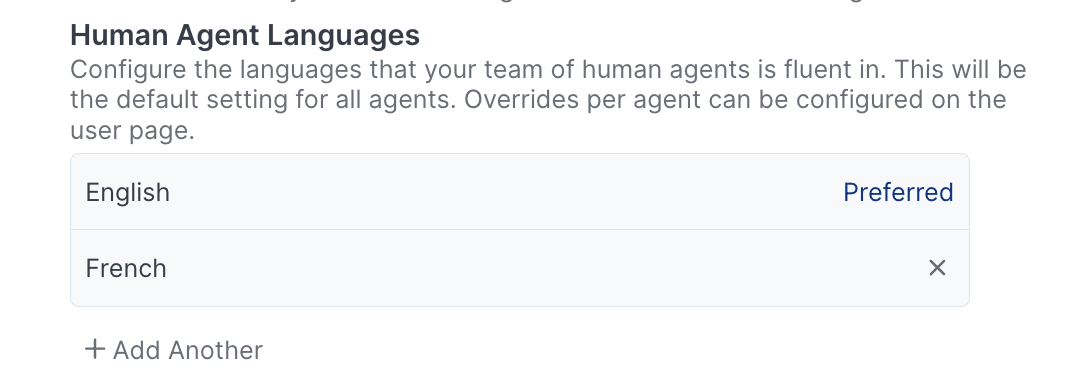
Preferred languages can't be removed.
Customer Languages
Customer Languages define the languages used by customers. That is, the set of languages a customer's preferred language can be set to.
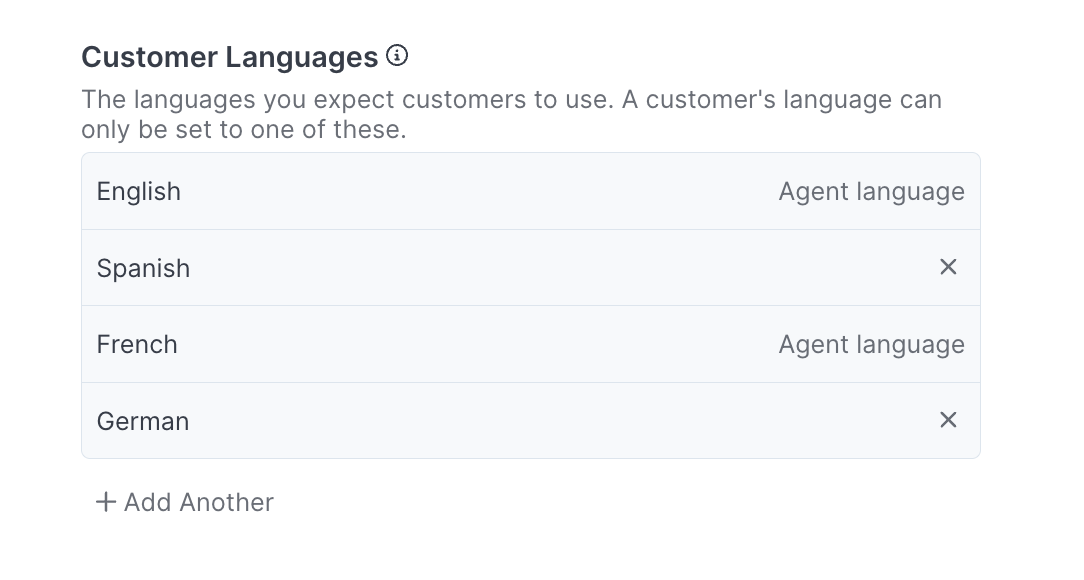
This list is used to define:
- What can be selected as a Human Agent Language above, or on a per-user basis.
- What appears in the preferred-language dropdown on a Web Chat form.
- What can be selected when building decisions and actions based on preferred language.
Any language supported by Quiq is available to add as a Customer Language.
Any language that's part of the default Human Agent Languages list is flagged Agent language. These languages cannot be removed as Customer Languages until they are removed as Human Agent Languages.
Updated about 1 month ago