
Platform Specific Outbound Capibilities
Certain platforms, like Apple Messages for Business, WhatsApp, Facebook Messenger, and others, have specific criteria under which a brand can send outbound messages. In this section you'll find more specific details on platform specific limitations.
For help getting stared with Outbound messages on any of the platforms listed below, reach out to your account manager.
Apple Messages for Business
Apple supports Outbound Messaging via Business Updates Messages. Authorized businesses can invite customers to engage in conversations via Apple Messages for Business by sending a Business Updates message to the mobile number the customer has provided.
These branded and verified invitations appear in the Messages app on Apple devices, allowing customers to engage with businesses in secured and private conversations. Business Updates must leverage approved Apple templates. Learn more.
WhatsApp
WhatsApp is a "template-first" outbound channel. To maintain high quality and prevent spam, Meta enforces strict rules on how brands initiate conversations.
- In-Window: When a customer messages your brand first (or replies to your template), a 24-hour "Service Window" opens. During this time, you can send Free-form Messages (custom text, images, or files) without a template.
- Out-of-Window: Once the 24-hour window closes, you can only reach the customer by sending a pre-approved Message Template.
Approved Template Categories
All outbound templates must be submitted to Meta for review and categorized into one of the following:
Marketing: Promotions, product announcements, or abandoned cart reminders.
Utility: Transactional updates like order confirmations, shipping alerts, or appointment reminders.
You can find instructions on submitting templates in Business Manager here.
Once a template is approved, it will be visible under Contact Points-> WhatsApp
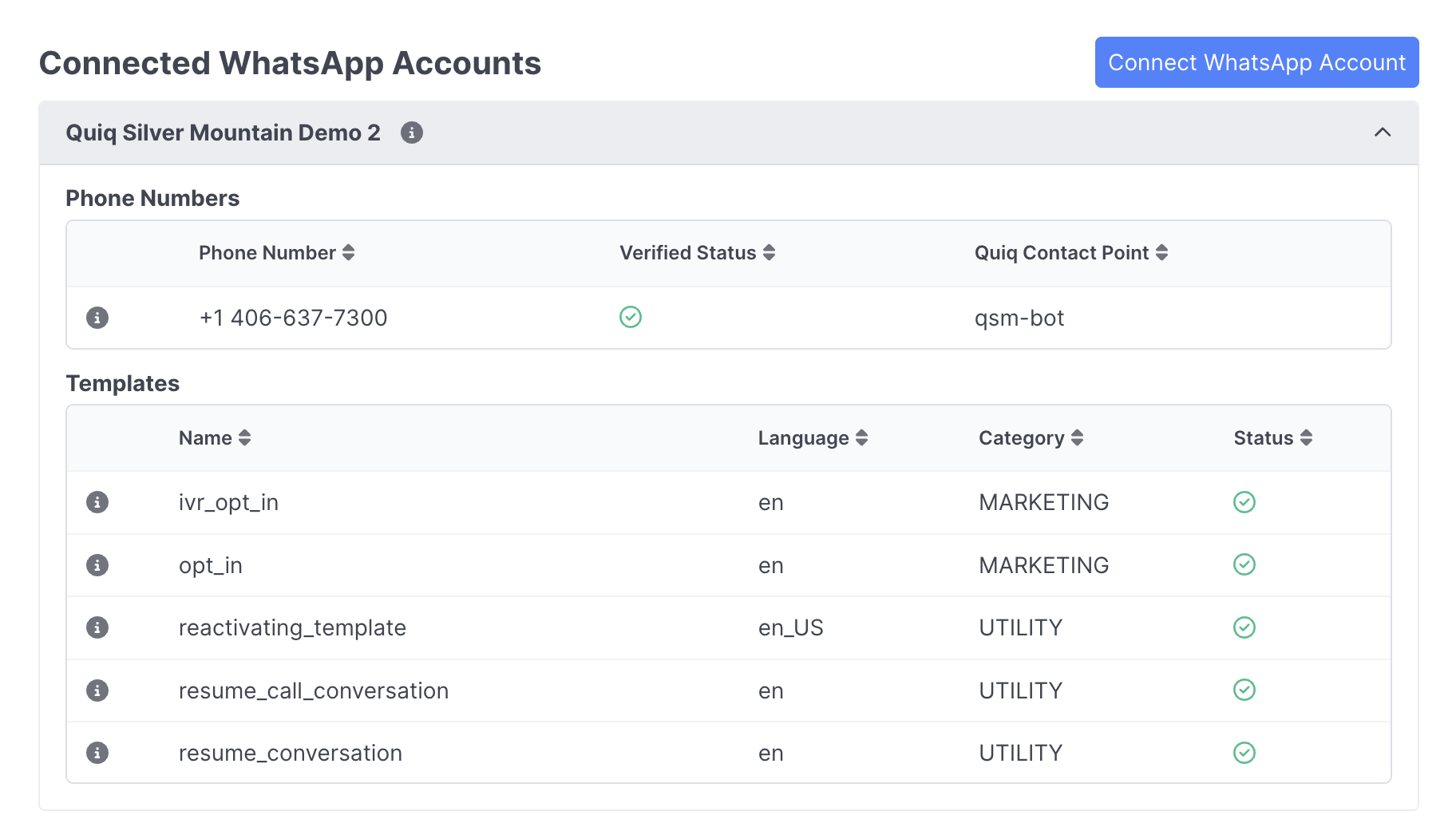
For help sending your template once it's approved, please reach out to your account manager.
Updated 8 months ago