
Translate
Overview
Quiq Translate automatically translates multi-language exchanges between customers and human agents across all supported messaging channels. It enables teams to serve customers in 100+ languages without staffing language-specific queues, while keeping the full conversation visible and auditable inside Quiq.
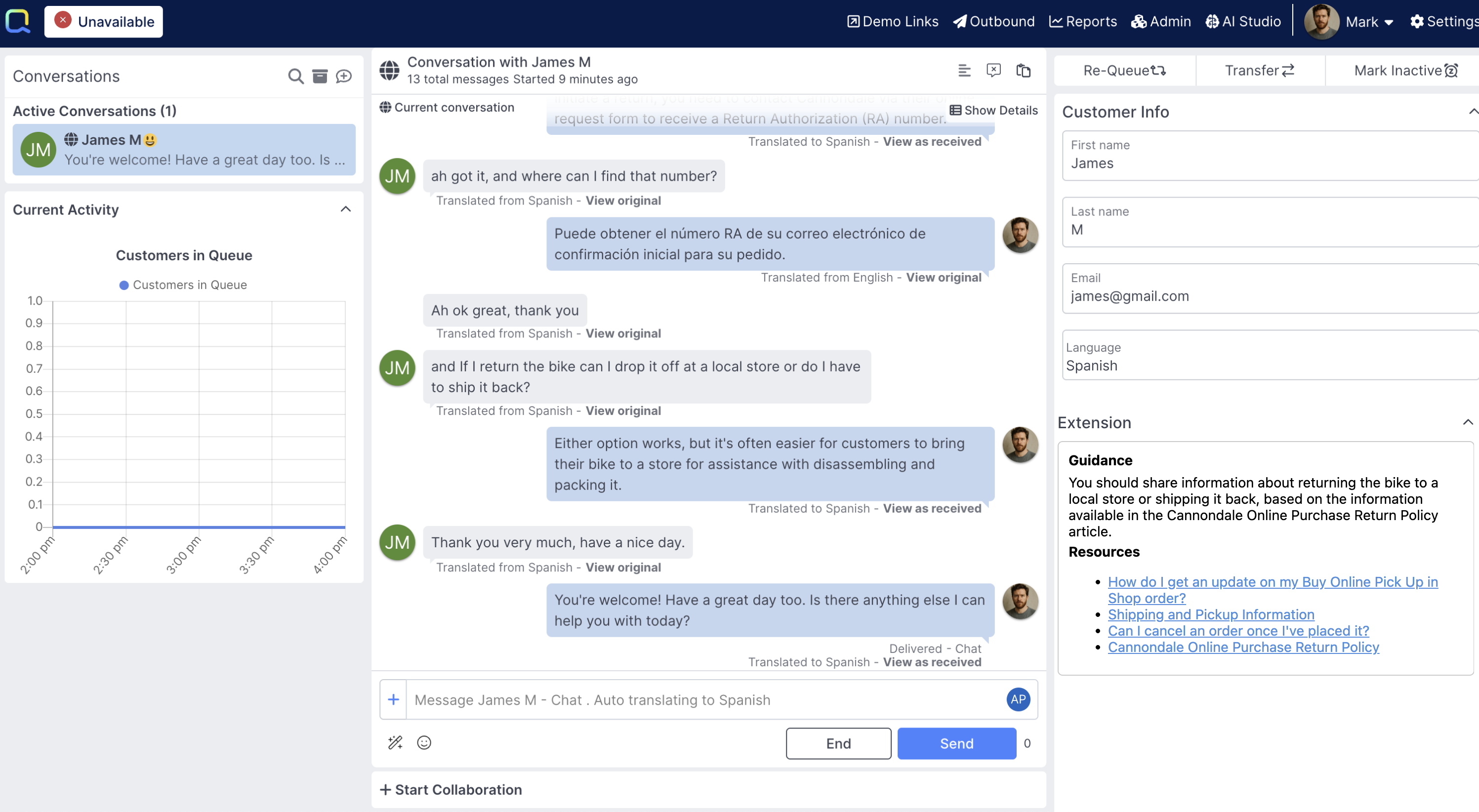
A conversation between a fictional customer, James, who speaks Spanish, and an agent, Mark, who speaks English.
Enabling TranslateTranslation is enabled in the Languages & Translation section of Admin UI. Note that enabling Message Translation will incur additional billing costs when conversation messages are translated.
How it Works
Setting Language
When a conversation is assigned to a human agent, Quiq looks at both the agent's supported Human Agent Languages, as well as the customer's preferred language (which can be set using the conversation.customer.preferredLanguage field) to determine if translation is necessary.
Human Agent languages can be defined at both a tenant level and an individual human agent level.The list of supoported Customer languages - those that can be set for a customer's preferred language - can be defined in at a tenant level. Learn More.
The preferred language of the customer can be set in any number of ways: whether by an ai agent, an ai assistant, a welcome form, by the human agent themselves, or any other number of methods.
Translating Messages
If an agent is assigned a conversation where their supported languages and the customer's preferred language are different, Translate will automatically start translating messages. In the agent console, the agent has visibility that their conversation will be translated to the customer's preferred language:

Messages in the Agent console will show in the agent's preferred language by default:
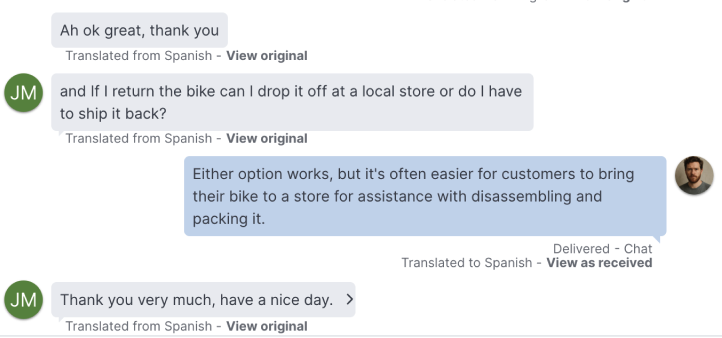
Mark, who speaks English, sees James's messages automatically translated into English, and can see his own messages are being translated into Spanish.
and they can easily click on each message to view the message as the customer sent or received it:

Customers will see the messages translated into their preferred language:
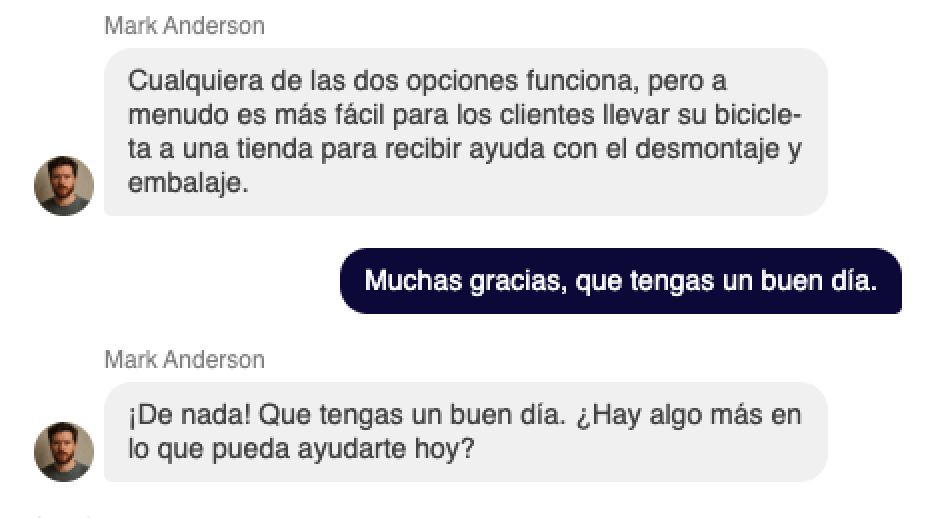
James, who speaks Spanish, sees messages from Mark automatically translated into Spanish.
Reporting
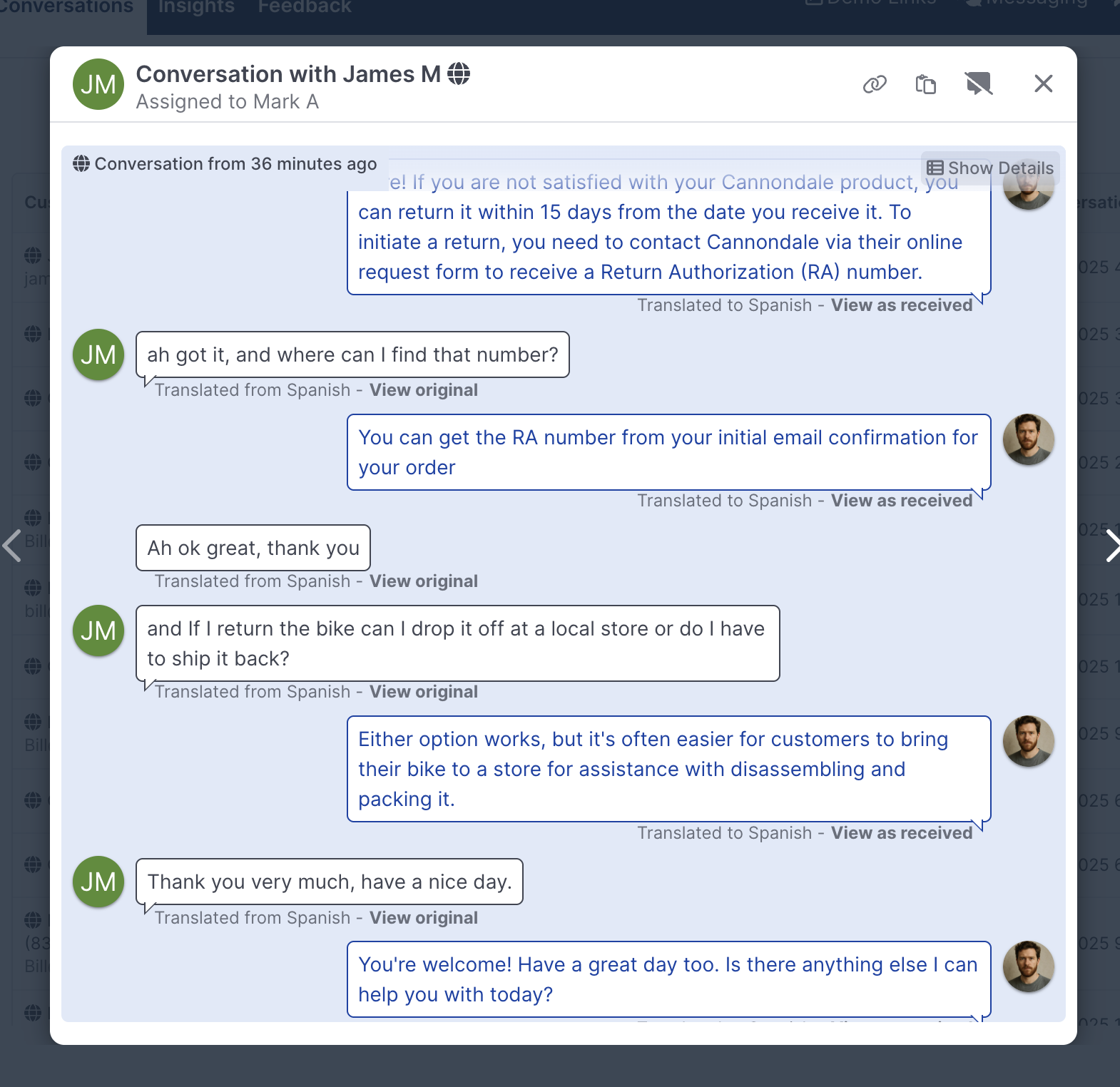
When Managers or Admins are looking at a transcript in a Report, the same translation options are present, ensuring nothing gets lost:
Supported Translation Services
Quiq can work with a range of translation tools, below you'll find a brief overview of each:
Large Language Models (default): Translate can leverage a range of supported LLMs, including customer provided models, to power Translate.
Google Translate: Translate natively integrates with Google Translate, basic edition, for seamless real-time translation.
Unbabel: Translate can integrate with a customer's Unbabel account to power customer and agent translations.
For help enabling getting started with one of the translation services listed above, please reach out to your account manager.
Translating Transcripts
When Translate is turned on, Admins, Staff Admins, and Managers can translate closed conversation transcripts on-demand when reviewing historical data in Reports, Insight drilldowns, and AI Studio.
The Translate button appears in the transcript header when the following conditions are met:
- The conversation.customer.preferredLanguage does not match any of the viewer’s configured languages.
- The conversation was not already translated during the live session.
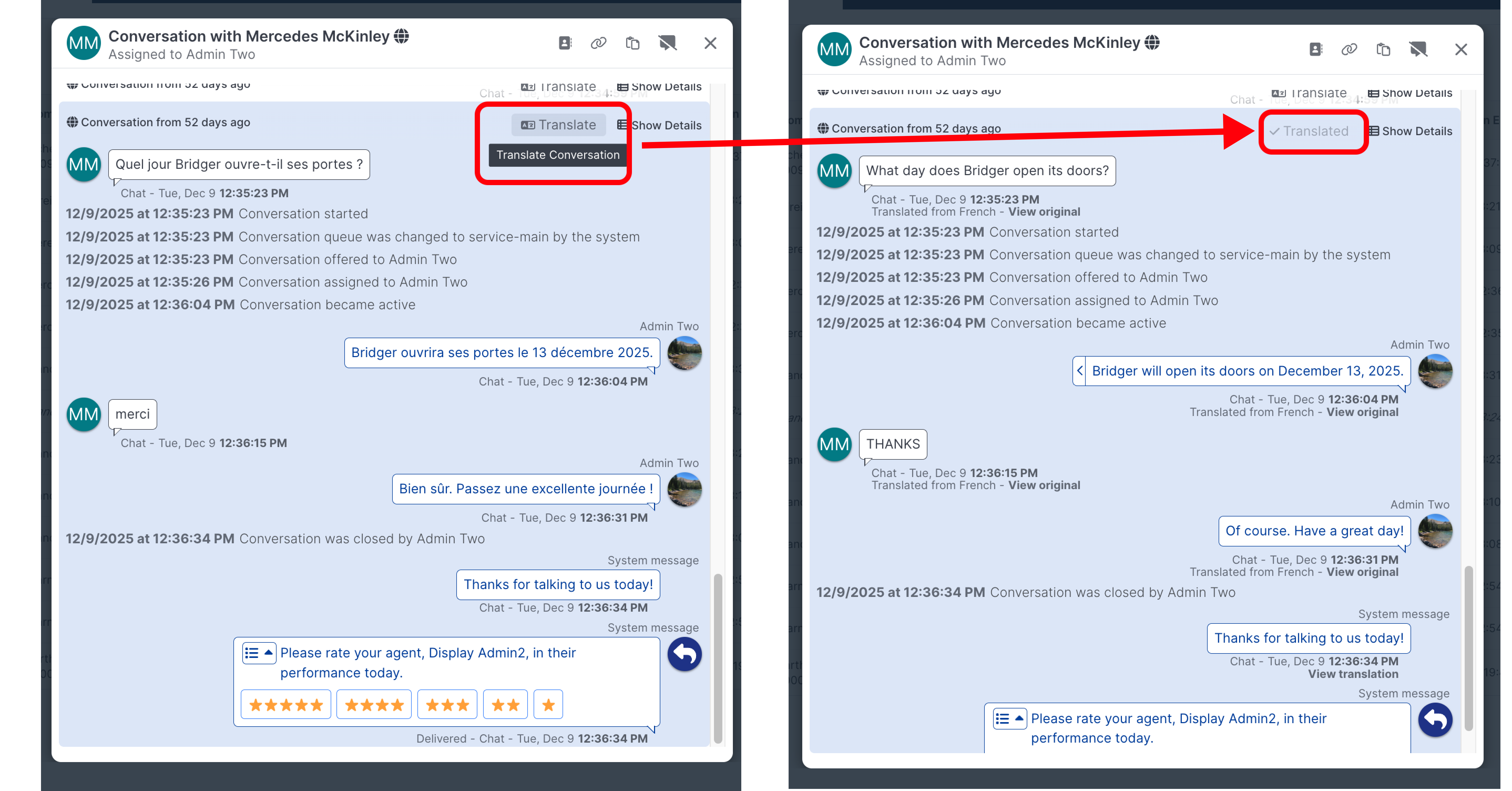
Transcripts are translated with the same service your tenant uses for live translation.
Updated 11 days ago